Tuesday, April 6, 2010

Look Who's Talking About Workboxes

I've been thinking about starting up the "Who's Talking About Workboxes" spotlight again if there is enough interest. Basically I would be featuring blogs that have posts about workboxes. The featured blog will be posted on my "Look Who's Talking" Squidoo article with links to the article here on Spell Outloud. If you are interested, I will need the following information emailed to me:

1. Link to your workbox set-up.
2. Link to any workbox-related post that you would like featured.
3. Any other workbox-related activities, memes, blog-hops etc. that can be found on your blog.

You can check out past featured blogs here.

If you don't have any workbox posts, or want to nominate another blog, you can do that too. Email me at scrappermo at yahoo dot com.

Labels: ,

Monday, September 21, 2009

Workbox Highlight: Active Activity Cards

workbox activity cardsI am still tweaking some things with our workboxes this year--trying to make it so that refilling and recording keeping go easier for me. Having a 2yr. old and a 1 yr. old sure makes for interesting school days. If I have the boxes completely set-up for the older 3, if one of the younger ones is really needing more of my attention, I'm able to give it and not feel like I'm dropping the ball with the others. Of course this is requiring me to be extremely organized and I'm not there yet--lol! So today I'm reworking something, printing, laminating, cleaning etc.

One of the things I really like about the workboxes is that I can plan extra activities, especially active activities into my kids' day. Before I would forget, or get distracted, but now I have some of those activities on their schedule cards. I wanted to showcase a set of cards that Candace Crabtree created on Homeschool Share that I think are a wonderful addition to our schedule.

Labels:

Wednesday, September 16, 2009

Learning Curve and Workbox Stuff

For the past several months my wrist and hand have been hurting me if I'm on the computer too much. The problem is, I need to be on the computer to continue my free-lance work and my digital scrapbooking work. So my wonderful husband surprised me by getting me a Bamboo Fun Tablet. After he saw it sitting in the box for over a week, he asked why I hadn't installed it yet. Truth was, my computer was on the fritz and I thought if I added one more thing to it I might just get the blue screen of death! So once again, my husband went the extra mile for me and gave me his new computer! When he went to get it set-up in my office, he couldn't believe how small the work-surface on my desk was, and he thinks that also contributed to the amount of hand/arm pain I was experiencing because I couldn't rest my arm properly and use the mouse. So he switched desks with me! I now have a huge desk where I can put 2 laptops (I have to get all the files off my old one still) my Bamboo tablet, a couple EHD's and a light. I'm thrilled! I also installed PSE 6.0, which came with the tablet, replacing my PSE 4.0. With all this goodness though, I'm finding there is a little bit of a learning curve. So I probably won't have many posts until next week.
workboxes
One thing I would like to point out is a new feature I'm trying called : Look Who's Talking About Workboxes. It is a dynamic (constantly changing) article that highlights who tweets about the workbox system, who blogs about it, and each week a featured workbox blog post picked up from my internet searching or via submitted submissions. So if you tweet, it would be helpful to use the hash tag: #workboxes or have workboxes somewhere in the tweet. If you have a helpful tip, or a blog post about workboxes that you would like highlighted, send me the link. Your blog will be featured on the Look Who's Talking site and listed here on my blog. The first featured blog post will be on Wed. Sept. 23. If you have a post you'd love highlighted, send me the link via my contact button. I will just be linking to your article, not reprinting the article. The cool thing is that just by talking about workboxes we can also raise money for the Salvation Army at the same time!

Labels:

Thursday, August 13, 2009

Cassie's Workbox Graphics

(Click image to download)

About a month ago, my friend Cassie allowed me to post her awesome workbox set-up, which you can find here. I received so many emails wondering where they could get her workbox schedule cards. Well we have received permission to go ahead and share with all of you! The graphics used on her cards were created by Katie Pertiet and Anna Aspnes. Thank you Cassie, Katie and Anna!

I know that many of you are planning out your workboxes or already using them for this year. Here are some more good workbox resources:

-- printable workbox activities can be found at Homeschool Share.
-- file folder games at File Folder Fun

Labels: ,

Wednesday, August 12, 2009

Bug Color Sort

Since I knew my older kids were going to be studying insects this summer, I picked up these stretchy bugs from the Dollar Spot at Target this past spring. I figured I could use them with the older kids and with my toddler. I have a bad habit of picking up things at the Dollar Spot without knowing what I'm going to do with them. I always feel better when I can justify my purchase :) This is my attempt to do just that. ;)

Since the bugs only came in 6 colors, I went ahead and made a 6 color sorting mat that matched the bug colors. (Click link above if you think you might have a use for it)

Then we dumped them all out, stretched them a bit because we couldn't resist, and worked on finding the right "home" for each bug. Apparently the blue bug is visiting the orange bug ;)

This activity will be added into our toddler workbox lists. Later I'll have her divide the bugs into groups that have 6 legs and those who don't (this pack has spiders and centipedes too). She's not quite up to that skill yet. We might use them for counters, as game board pieces and for "bug hunts". So many options!

Yep, this works for me and DD#3!

Labels: , ,

Monday, July 27, 2009

Toddler Activities---Little Lapbooks Jungle Puzzle


When I was teaching a preschool co-op this past fall, I came up with a toddler-sized lapbook that works well for little hands. Ours was based on the song, "Who is the King of the Jungle?" I wish I had pictures to show you, but the book is MIA at the moment. We had a lapbook component or activity on each flap. The kids love having their own little books.

Using that idea as a springboard, I've created a jungle puzzle book using the little lapbook format. This would work well as a workbox activity or activity bag activity for younger children.


Jungle Puzzle Page 1
Jungle Puzzle Page 2
Jungle Puzzle Page 3
Jungle Lapbook Instructions
Little Lapbook Instructions

Feel free to print away and use at home! I'll be coming up with some more little lapbook ideas in the upcoming weeks. If you use this format for a project, I'd love to see it and feature it here.

Labels: , , ,

Friday, July 17, 2009

Under the Sea Toddler Flashcards

I've been organizing and rearranging our school supplies in order to get ready to start a new school year. I was working on DD#3's stuff and wanted to create a few more things for her workboxes. She has quite a few puzzles, but was lacking some easy games. I thought she'd enjoy a memory/flashcard game.

She had never played Memory before. She enjoyed flipping all the cards over and finding the matching pairs. She did not quite grasp the rule of only flipping over two cards at a time and if they didn't match, turning them back over again. She wanted to do it her way, so I let her. :) I was surprised at how long she played. I only did 6 cards so that she would not be overwhelmed. I'll switch them out with other sea creature cards when she needs a variety or more of a challenge.

Here's what the deck of cards ended up looking like:


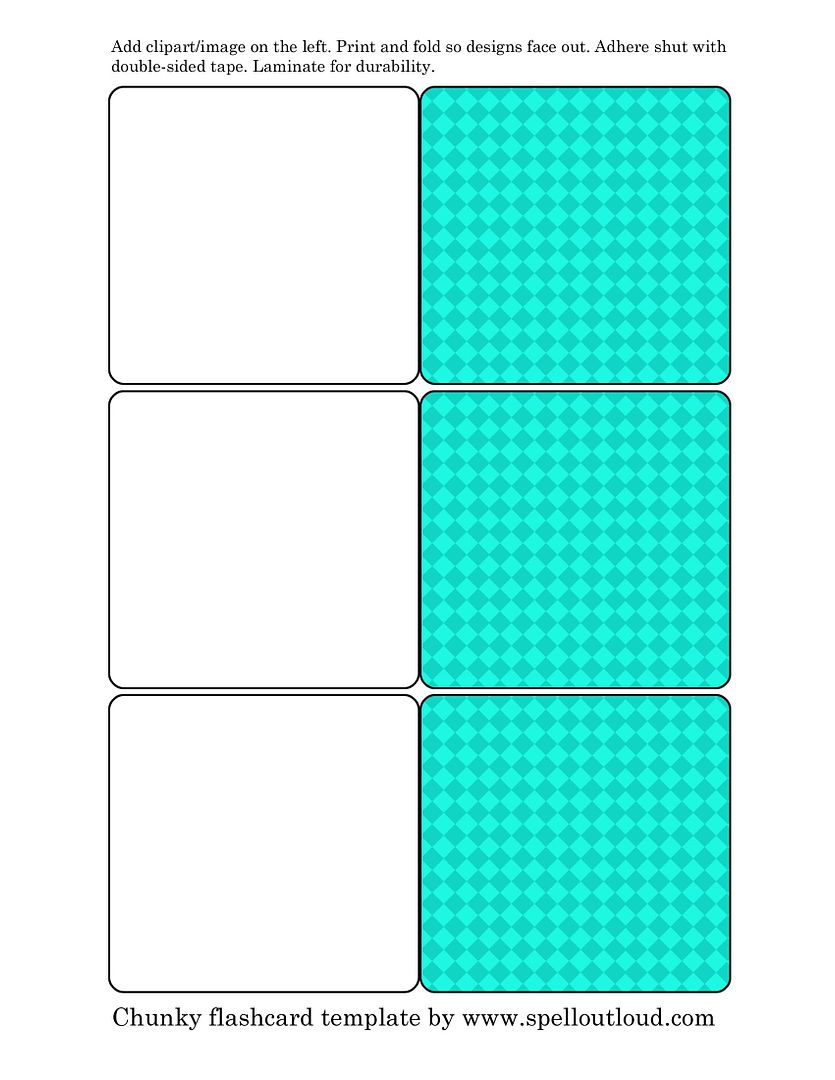
While I can't give a link to these flashcards due to copyright issues, I can give you a link to a template so that you can make your own set of custom flashcards. I've even created a short tutorial on how to make these cards using Open Office. Click here for the tutorial.

Option 1: JPEG image --- click on template, right-click and save to your computer.


Option 2: Click on image an download as a PDF

Option 3: If you really want a PSD file, email me via the contact button on the sidebar.
______________________
These cute graphics were created by Mindy Terasawa http://www.designerdigitals.com/

Labels: , , , ,

Tuesday, July 7, 2009

Workbox System Set-Up from Cassie

Welcome to Spell Outloud! Most likely you've landed on this page while searching for more information on Sue Patrick's Workbox system. You can see how Cassie's system is set up below. For even more information, examples and links, visit Working the Workboxes.  I'd love for you to stay awhile and check out what is offered on Spell Outloud. To receive the latest updates from this blog, click here to subscribe ,or join via Google Connect. Thanks for dropping in!

Now that the workbox system has hit the homeschooling community in full-force, I love to see all the blog posts and photos of how the system works for various families. My friend Cassie was nice enough to share with me how the workbox system is set up in her house for her two children.

workbox_system
Cassie chose Itso BinsItso_Bins from Target and IKEA shelves for her system. She says, "I like the Target boxes with the IKEA shelves because the two fit snugly together within one space, so there's no sliding sideways. The openings also allow for oversized items to fit in the bins without them tipping over."


workbox_numbersOn each of the boxes Cassie adhered three Velcro dots for the number, the "work with mom" tag and the number for the schedule strip. When her son gets a box, he puts the contents on his desk then puts all Velcro tags in the box and stacks it by the window. This keeps the tags from getting dinged and dented while "nesting" in a stack.


schedule_stripsCassie's schedule strips are color-coded for each child. Her daughter is almost three and Cassie states that it is a great way for Ellie to have number identification incorporated into her daily routine. And though her daughter is young, she totally understands how to use the workboxes. She knows to get her schedule strip, match the number to the box and get started on her work.

schedule_strip_extras


Now how cool are these cards? Using her digital scrapbooking skills, Cassie created custom schedule and clock-in cards.


Clock_In_cards


What a great set-up! Thank you Cassie for sharing with us. :)

___________________
Additional Work-box related links:

Labels:

Wednesday, June 17, 2009

Workbox System--All You Wanted to Know and More!

If you read my site, you have probably heard me mention the workbox system before. Well Kari from The Snail's Trail has complied an awesome resource page filled with links and photos of this system. I was glad to be able to contribute to the project, and plan on submitting more things in the future (oh so many ideas and yet not enough time to see them through completion).

Check it out! A Comprehensive Review of Sue Patrick's Workbox System

Labels:

Saturday, May 2, 2009

Workbox System Update

It's been awhile since I first posted about the Workbox system. We have finally implemented it in our homeschool and I'm loving it! We aren't quite doing it all according to the book due to technical problems with the schedule strips (don't laminate w/ a Xyron 900 if you want the Velcro to stick!), but it is still working out alright. Here's how we're doing it:


This is the toddler's system. I have it right outside the school room. She knows that all the stuff in these boxes are hers, and you better not touch them--lol! The photo at the beginning of this entry shows the older kids' boxes (minus a pink set because they are on the other side of the room. I would have had to climb on a chair to try to get a decent photo and that just wasn't going to happen)

1. We do certain group activities together and I don't put those in the workboxes (history read-alouds, science read-alouds, etc.)

2. Most of the things I place in their workboxes are things I want them to do independently (except for the toddler and the 1st grader--they have some boxes where they work with me). I have 4 kids using this system, and I did opt to get a rack for each of them. Right now the toddler only has 6 boxes and the older kids have 8.

3. Once they are done with a box, they stack it on their shelf and place their finished work in a paper tray. So at the end of the day there is one tall stack of boxes on their shelves and I can easily see who is done and who is not.

Some things we have in our boxes are:
--Bible stuff
--phonics/spelling pages
--jump roping
--any independent science reading/lapbooking assignments
--copywork
--reading
--math
--some sort of flashcard game; either for math or music
--crafts (last week they created a horn book to go along with early American History)
--learning games
--practice the piano card
--other notebooking/lapbooking activities

I've been finding some great things at The Dollar Store. Here are a couple games that I picked up recently. They also had some educational posters that I bought and plan to make a couple of poster activities for the kids to use. The Dollar Store is also a great place to pick up items for toddler activities. Carisa at Tot School has a ton of ideas listed for toddlers.

Oh, and I've finished creating my first toddler/preschool activity for Homeschool Share's Blast contest. I can't tell you how hard it is to not post it---lol! But just know that they are planning on having a workbox section where you can download activities for various age-levels.

Why I Like This System:

I have an infant and a toddler so nothing goes as scheduled! LOL! I was finding that I would get distracted with one of the kids and the rest of the kids would lose focus and not get anything done, even if I wrote out what they were suppose to accomplish for the day. Not only that, I would lose focus and not remember who was doing what. This is a visual and tactile school schedule. Yes, it takes some preparation, but for a school day to run smoothly that is necessary. This system kind of keeps me accountable! :) The kids actually look forward to seeing what is in their boxes. Since I'm deliberately planning out their work, we are actually accomplishing more in the school day now---and usually in less time.

If you need more info. check out these links:

Sue Patrick's Workbox System
Ginger Snap Shots --workbox system
Ginger Snaps -- upclose look
Walking by the Way --- list of activities to include in the boxes

Labels:

Tuesday, April 7, 2009

Workbox System Here We Come!

One popular organizational system floating around on numerous homeschool message boards is the Workbox System by Sue Patrick. I am so glad that I'm not the only one who needs some help organizing their school day! I have so many great ideas but I get sidetracked, forget I have the items, forget to check their work etc. This system is a visible way to help the teacher and the student know what to do during their day.

Right now I am working on customizing this system to work with my family's needs. I've decided to go with the racks, just because I feel like my kids need the actual visual reminder of the boxes. I still need to go get the boxes and print a few more things out, but I hope to have it up and running in our household after Easter. I'll post more about it then.

Here's an article called Working the Workboxes which lists different set-ups, links to free workbox printables and more.

Labels: ,